

Your consultants are busy. Your CRM bill arrives every month. Yet someone still rebuilds the pipeline in Excel, candidate details get entered twice, and a good client conversation sits in an inbox without a next step.
Each workaround deserves a closer look. Where does the work slow down? Which information can people trust? Are you making full use of the tools you already pay for?
Before renewing, buying another add-on or considering a replacement, here are six places to start.
Six places to look first
Choose a check to explore. Start with the tools you already pay for.
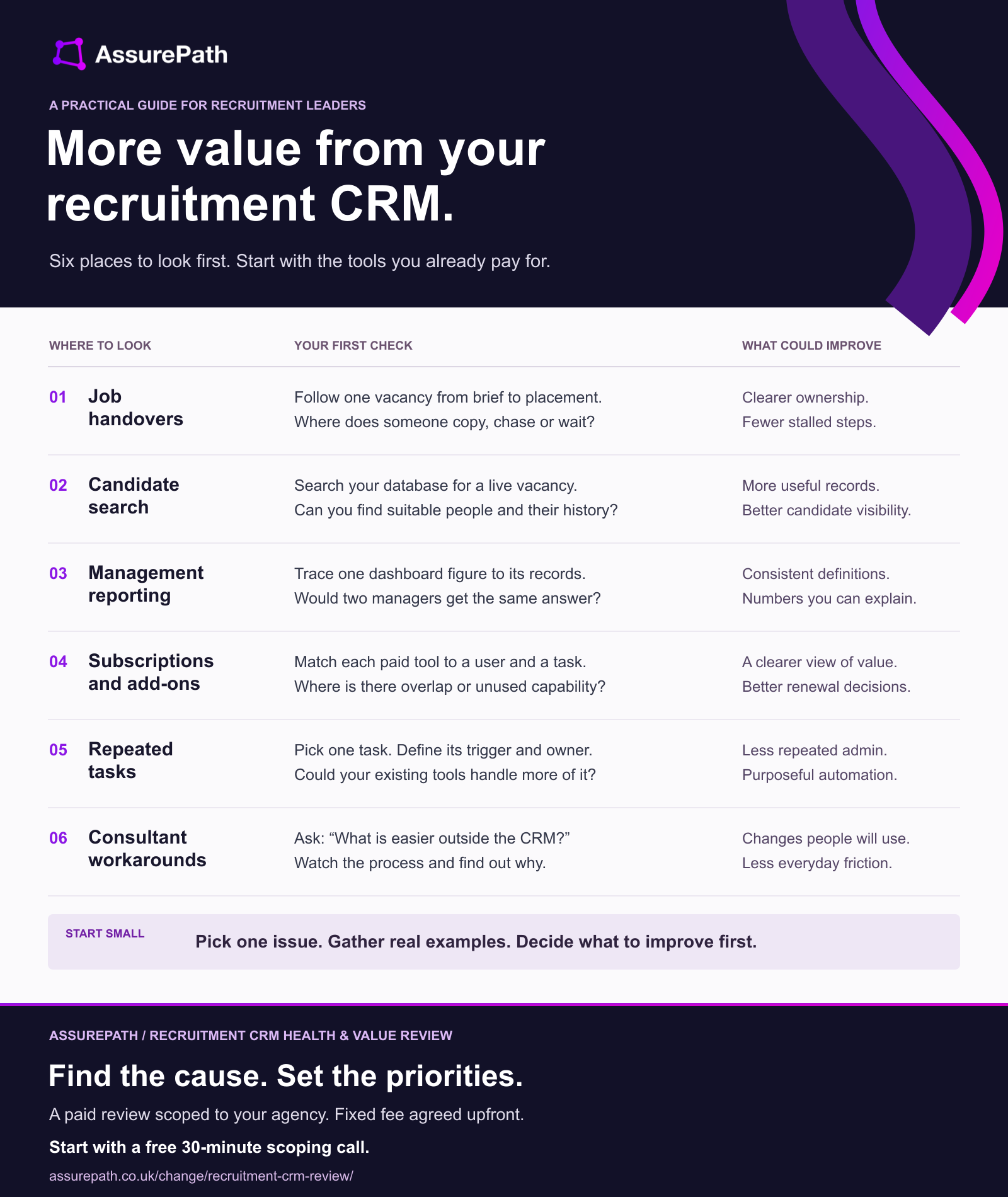
- Job handoversFollow one vacancy from brief to placement. Where does someone copy, chase or wait?Could improve: Clearer ownership. Fewer stalled steps.
- Candidate searchSearch your database for a live vacancy. Can you find suitable people and their history?Could improve: More useful records. Better candidate visibility.
- Management reportingTrace one dashboard figure to its records. Would two managers get the same answer?Could improve: Consistent definitions. Numbers you can explain.
- Subscriptions and add-onsMatch each paid tool to a user and a task. Where is there overlap or unused capability?Could improve: A clearer view of value. Better renewal decisions.
- Repeated tasksPick one task. Define its trigger and owner. Could your existing tools handle more of it?Could improve: Less repeated admin. Purposeful automation.
- Consultant workaroundsAsk: “What is easier outside the CRM?” Watch the process and find out why.Could improve: Changes people will use. Less everyday friction.
1. Follow one job from brief to placement
Choose a recent vacancy and ask the people involved to walk you through it. Include the client brief, candidate search, submissions, interviews, offer and placement handover.
Watch for information being copied, someone chasing an update, or a task waiting because nobody owns the next step. For contract recruitment, follow the handover into onboarding and the back office too.
First check: Where did that job leave the CRM and move into email, a spreadsheet or someone's memory? Find out why.
A useful improvement might be a clearer handover, fewer fields or a task assigned at the right stage. Identify the cause before choosing the fix.
2. Test whether your database helps you find people
A database is only useful if consultants can find relevant candidates and understand the relationship with them.
Take a live vacancy. Ask two consultants to search for suitable people already in your CRM and compare how they do it. Can they use the same criteria? Can they see the last conversation, current availability and who owns the relationship?
First check: Pick a small sample of plausible matches. Which records are usable now, and which need someone to reconstruct the history?
This gives you a focused starting point for improving search, record quality and ownership. It also helps you decide where cleaning up existing data would be worth the effort.
3. Trace one management number back to its source
Choose a figure you use to run the business: live jobs, interviews booked, expected fees or placements awaiting a start date.
Trace it from the dashboard to the underlying records. Check what qualifies for inclusion, which date is used and whether teams record the same event consistently.
First check: Could two managers reproduce the same figure without quietly adjusting it in Excel?
If they cannot, investigate definitions and update habits as well as the report itself. A clearer dashboard will still mislead if the records behind it mean different things to different teams.
4. Match your subscriptions to the work they support
Put your CRM subscription, paid seats and connected tools on one list. Include sourcing, messaging, reporting and automation add-ons.
For each item, establish who uses it, what they use it for and whether another tool already covers that task. Look beyond logins: occasional use can still be valuable.
First check: For each paid module or add-on, can someone explain the job it does and why you need it?
That gives you a better basis for renewal discussions. Check notice periods, dependencies and contract terms before treating a possible change as a saving.
5. Pick one repeated task before adding automation or AI
Start with a task people repeat: chasing interview feedback, recording an outcome or reminding an owner to follow up with a client.
Write down what starts it, what information it needs and who handles exceptions. Then check whether your current tools can support it.
First check: Can you describe when the task should happen, who owns it and what “done” means?
For an AI-assisted task, such as drafting a candidate summary, also decide what a person must check before it is used. Start with a small, observable improvement and measure whether it reduces work or creates more checking.
6. Ask consultants to show you the workaround
Ask a consultant to demonstrate something they find frustrating. Watch the actual clicks, searches and copying involved.
A workaround can reveal awkward configuration, unclear processes or missing training. It can also expose a genuine limitation of the system.
First check: “Show me something you do outside the CRM because it is easier.” Then ask what would make doing it inside worthwhile.
Use that answer to shape the change. Check afterwards whether the team actually uses the improved process and whether the original frustration has gone.
Turn the checks into a decision
Pick the issue that matters most to your agency. Record a few real examples, how often it happens and who it affects. That creates a useful starting point for deciding what to change.
Keep the commercial benefit clear too. Time released for consultants, a subscription reduction and additional placements are different outcomes. Measure the one the change can reasonably influence.
Get a clear view of what to improve first
AssurePath's Recruitment CRM Health & Value Review brings dedicated CRM and revenue operations (RevOps) expertise to your agency's systems and ways of working.
We agree the scope around your priorities, then examine the relevant evidence and speak with the people using the system. You receive clear findings, the evidence behind them and prioritised actions with suggested owners, dependencies and indicative effort. We walk through those findings with you so you can decide what to tackle first.
The review is a paid service, with a written scope, fixed fee and timetable agreed before work starts. Your initial 30-minute scoping call is free.
Your team can take the actions forward, or AssurePath can scope and deliver the improvements under a separate agreement.
Tell us where your CRM is slowing you down. Book your free scoping call.